



Multi-device experiences - is responsive web design yesterday's news?
5 min read
Whether PC, smartphone, tablet or TV: many users use multiple devices to access the same functions or content. Creative Director Concept Stefan Freimark explains in an interview what multi-device experiences are and how to develop digital products optimally tailored to users and their needs.

Stefan, what exactly are multi-device experiences?
Most of us now own more than one internet-enabled device: alongside the classic PC or laptop, smartphones and tablets have been added. In future, further devices will become part of our everyday lives, e.g. smartwatches or connected cars. When we carry out a task, such as booking a flight or attending a conference, we use more than one device for it. We start on one device and continue the task on another.
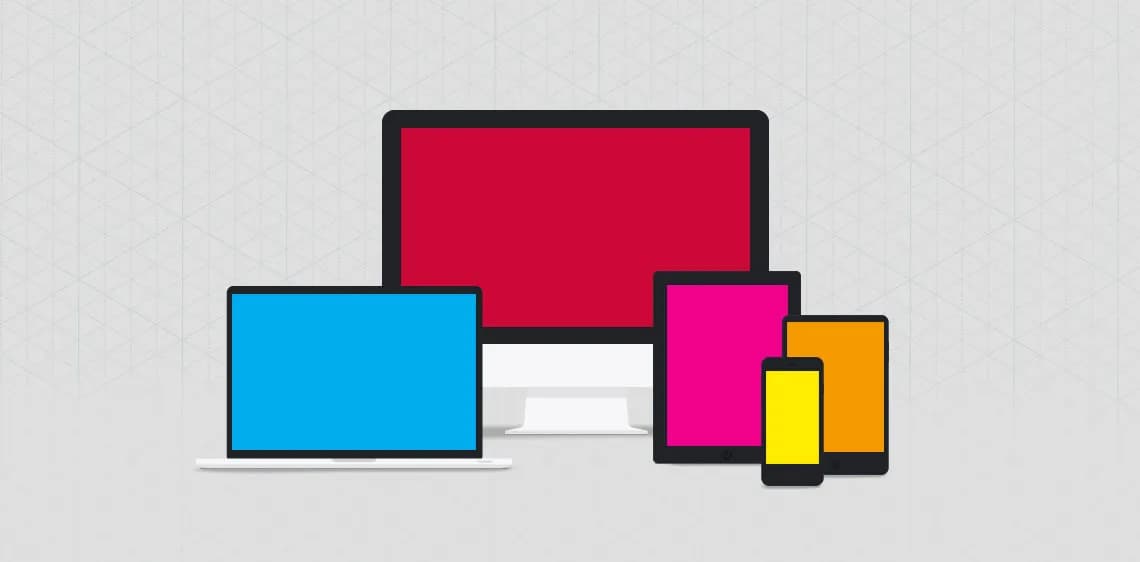
Multi-device experience is the usage experience when using multiple devices, whether they are used simultaneously or one after another.
What's the difference to responsive design?
Responsive web design (RWD) is one way to implement digital offerings in a multi-device world. RWD is about offering all content and, where possible, all functions consistently across multiple devices on the same code base – from smartphone to tablet to desktop.
On a smartwatch, however, an RWD website makes no sense, the display is simply too small for that. And Apple, for example, ships no browser at all on the new Apple TV, which has been on the market since November 2015. With the other approaches from the book "Designing Multi-Device Experiences" by Michal Levin, we can serve such usage scenarios better.
Consistent, Continuous, Complementary - what's it all about?
Consistent multi-device experience means offering the same content and, wherever possible, all functions across multiple devices. Responsive web design is one example for websites, but it could also be a website paired with an app that synchronises data via the backend. For whatever task is at hand – say, booking a table at a restaurant – I might use a smartphone, a tablet or a desktop PC.
Continuous design supports usage scenarios where multiple devices are used over a period of time. These can be "single activities", such as reading or writing a document. If I switch device, I carry on where I left off on the other device.
"Sequenced Activities" are tasks made of several diff steps. Example here: conference visit. I can register for conference on my PC, get QR code for registration desk on smartphone, but also list of my chosen sessions I put together on tablet night before. Course all content must be available on all devices for that – so you could see Consistent Design as precondition for Continuous Design.
With complementary design, several devices complement one another – either by working together as a group or by controlling each other. Here's an example: some hearing aid manufacturers have released apps for the Apple Watch. If the hearing aid wearer is in a loud environment, they can tap a button in the Watch app to activate a different configuration on their hearing aid. So the watch controls the hearing aid.
What are possible use cases for companies?
An obvious use case: if I can put together a list – for example of articles or videos – and that works across several devices, then this list should be synchronised.
The SPIEGEL app, for example, is available on both iPad and iPhone. On the plus side, I can buy an issue on device A and download it on device B without paying again. But: if I mark articles in an issue on device A, essentially as bookmarks, these marks aren't synced to device B. A prerequisite for this would actually already exist: a user account, in this case the SPIEGEL ID. It's similar with other media offerings, for example ZEIT or the media library apps from ARD and ZDF.
When a manufacturer develops a hardware product, it makes sense to think about whether it could also be controlled wirelessly – for example via an app. And if the product can be configured, it could be configured both via a web interface and via an app – perhaps even over the internet, not just on the same WiFi. Settings should then be synchronised across all devices.
Synchronising settings or favourites are examples of consistent design. However, these are only "low-hanging fruits". Things get interesting with continuous and complementary scenarios, but that depends heavily on the product ecosystem and the respective usage scenarios.
What fundamental questions should companies ask themselves?
Companies should ask neither "How can our brand be present on the Watch?" nor "Is Consistent, Continuous or Complementary the right approach for us?". Instead, the question is: "How do our users proceed when they want to complete task XYZ? And how can we support them in doing so?"
So it depends on what usage scenarios look like. With Customer Journey Mapping, a company can examine these scenarios and then consider which use cases can sensibly be served across devices.
Stefan, thank you for the interview.
About Stefan Freimark
Stefan was employed at interactive tools as Creative Director, concept specialist for large websites and complex web-based applications. In recent years he has worked for a wide range of clients: from the automotive industry to financial service providers, healthcare and education, the household appliance sector, right through to federal ministries and authorities.
Stefan lectures at the Good School in Hamburg and voluntarily co-organises UXcamp Europe.

Your contact person
- Klaus Cloppenburg
Managementsynaigy
Show phone numberShow email address

Subscribe to the blog now and never miss any news
✔️free of charge ✔️weekly news ✔️expert knowledge
Please accept the corresponding cookies to view this embedded content.