



Usability testing: user-friendliness put to the test
12 min read

Testing and optimising in good time doesn't just bring better usability. A usability test also helps make decisions early on and removes the need for discussions. This saves time and costs before launch and reduces the effort needed for optimisation after going live.
In our agency's own usability lab, we regularly conduct UX tests. We've gathered and prepared the most important experiences and information on usability testing here.
The most important thing – asking the users
"Please repeat after me: I am not the target audience."
This is how Jakob Nielsen, American usability guru, ushers in a shift in perspective among decision-makers. Because the success of a website / an online offering ultimately depends on acceptance by actual users.
The benefits – what does usability testing bring?
It's clear: usability tests and corresponding optimisation lead to better usability. But timely testing also helps make good decisions early, saving time and cost – both before and after an application's launch. This applies especially to projects where core functions and/or structure are being fundamentally changed.
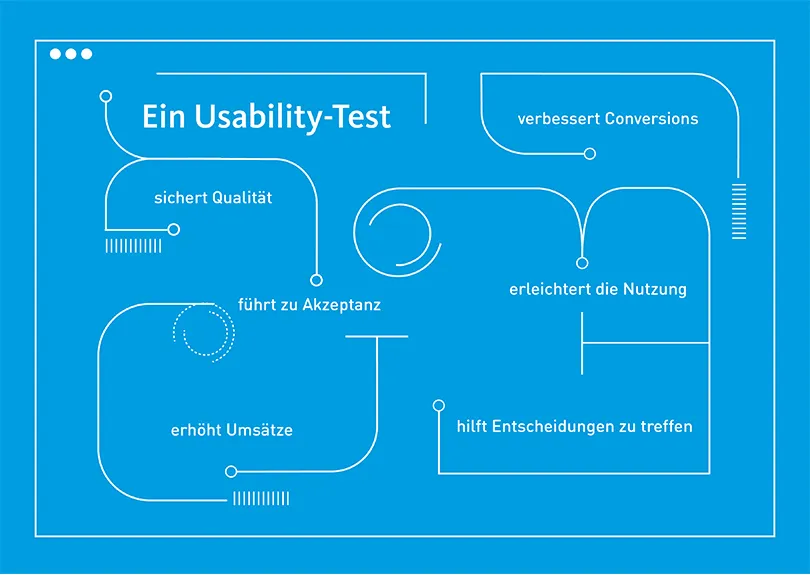
Usability testing...
Leads to acceptance
Increases usage
Improves conversions
Ensures quality
Increases revenue
Your website will be tested for usability in any case. If you don't do it yourself, then your customers will.
The basics – what must work on every website
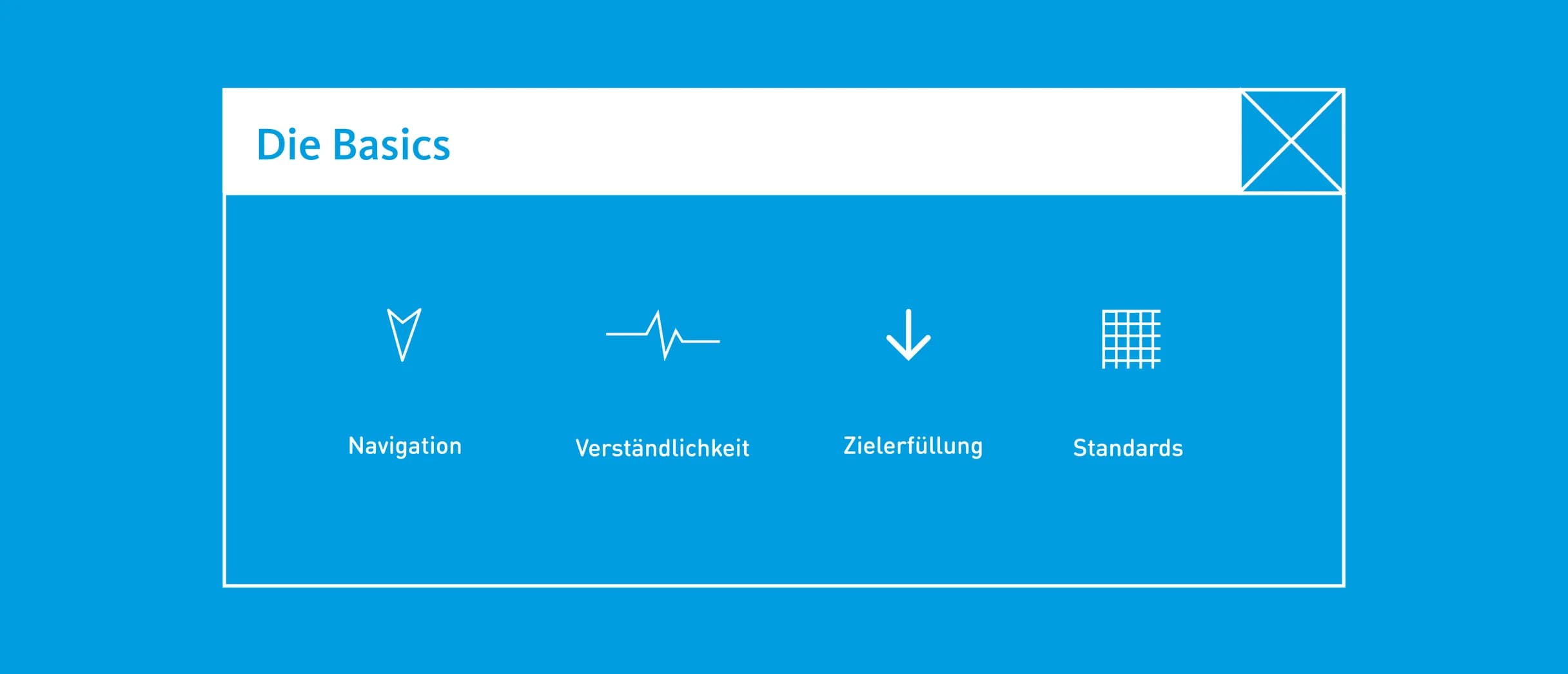
The following should always be under review in the spirit of a user-centred, success-oriented digital offering:
Navigation: when users move around a website, they need to be able to answer questions like "Where am I, where did I come from, how do I get where I'm going, what can I do next?" A clear information architecture provides the necessary sense of orientation.
Comprehensibility: terms and positioning that match expectations are based on users' knowledge and habits, ensuring maximum comprehensibility with minimal learning effort.
Goal achievement: the communication goals defined for the website, in terms of brand image and/or sales promotion, should align with the expectations and needs of the relevant user groups.
Standards: compliance with usability criteria such as the dialogue design principles of DIN EN ISO 9241-110, and the tenets of effectiveness, efficiency and user satisfaction, already ensures a basic level of user-friendliness.
Test phase
Usability tests are carried out in-house at interactive tools and integrated iteratively into the creative process.
Pretest interviews give insight into background of participants.
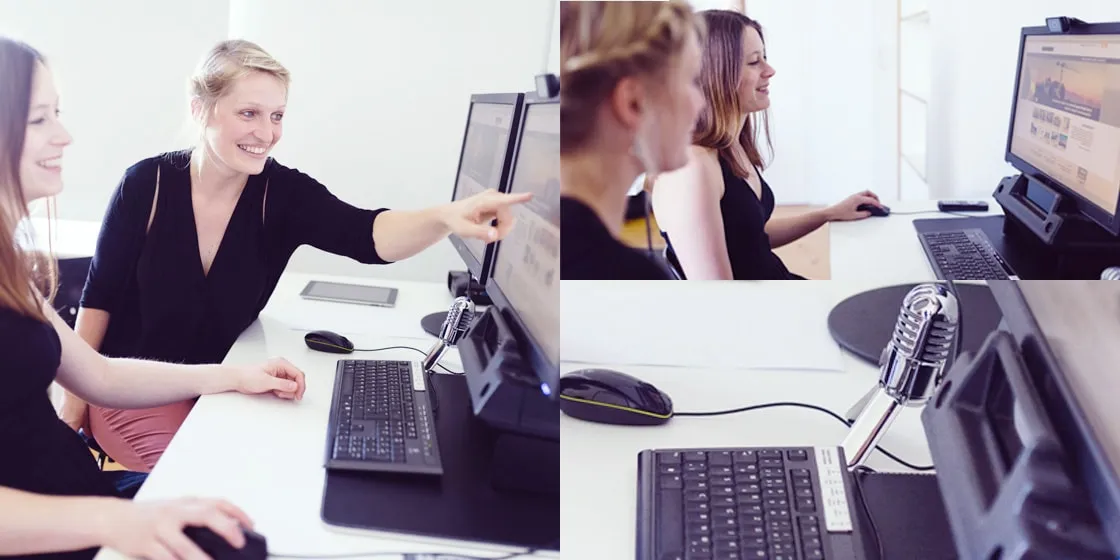
Test execution: individual sessions in the usability lab, observed from the observation room.
In-depth interviews are being conducted.
The methods – how testing is done
There are quantitative and qualitative survey methods, or usability methods.
Quantitative methods often aim for representativeness. They therefore require large, cost-intensive sample sizes. To test and optimise websites or online offerings with individual requirements, qualitative methods are increasingly used.
With qualitative methods, testing and evaluation are very targeted. Sample tests are conducted with a focus on specific target/user groups. The time and financial outlay is comparatively low, and concrete recommendations for action can be derived from the results. A distinction is made within qualitative methods between expert-based and user-based methods.
Expert-based methods
Experts test according to valid criteria / from a user perspective
Heuristic evaluation
against established criteriaHeuristic walkthrough
Combination of criteria and user scenariosCognitive walkthrough
from the user's perspective

Expert-based usability analysis
Our experts test according to generally accepted and recognised criteria, such as the principles of dialogue design per DIN EN ISO 9241-110, as well as benchmarks from recognised usability experts like Jakob Nielsen.
Furthermore, using predefined scenarios, we put ourselves in the users' shoes situationally and cognitively and assess from their perspective. Learn more about the expert-based test of your website on our Expert Review service page.
As our experts have extensive experience, the usability analysis is already meaningful regarding the website's core functions. For an assessment of the website from the user's perspective, a user-based usability test is suitable.
User-based usability test
In user-based testing, test participants are assembled from defined target or user groups. The test itself is usually carried out in our usability lab, which has the appropriate hardware and software. However, it can also be tested at users' homes or online.
Ultimately, it's about putting representatives of the relevant user group in front of one or more representative tasks while simulating as realistic an everyday situation as possible. Here, we not only record results but also learn about the why and wherefore.
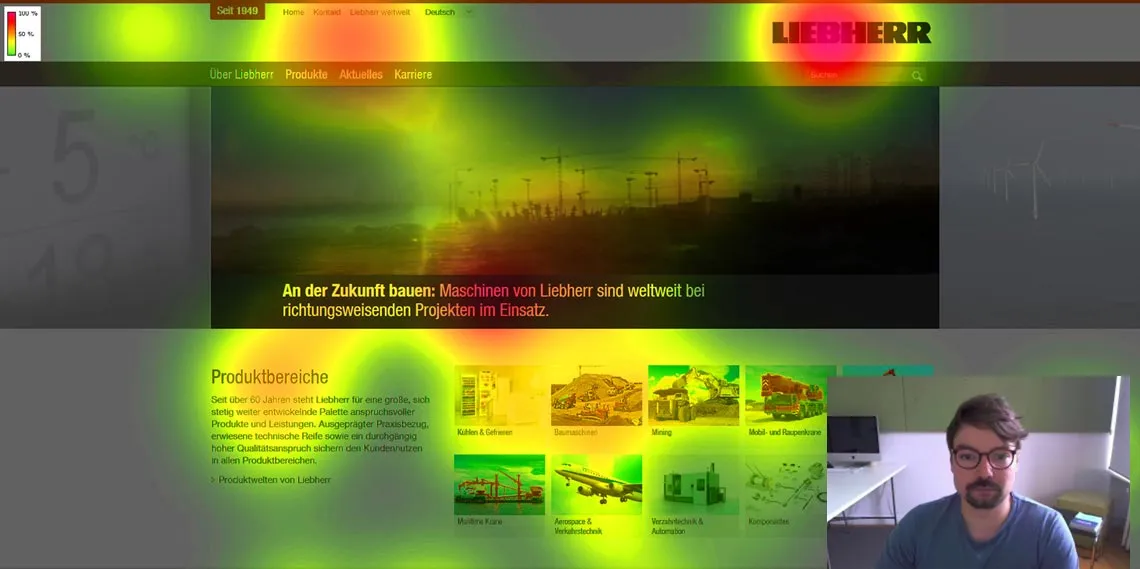
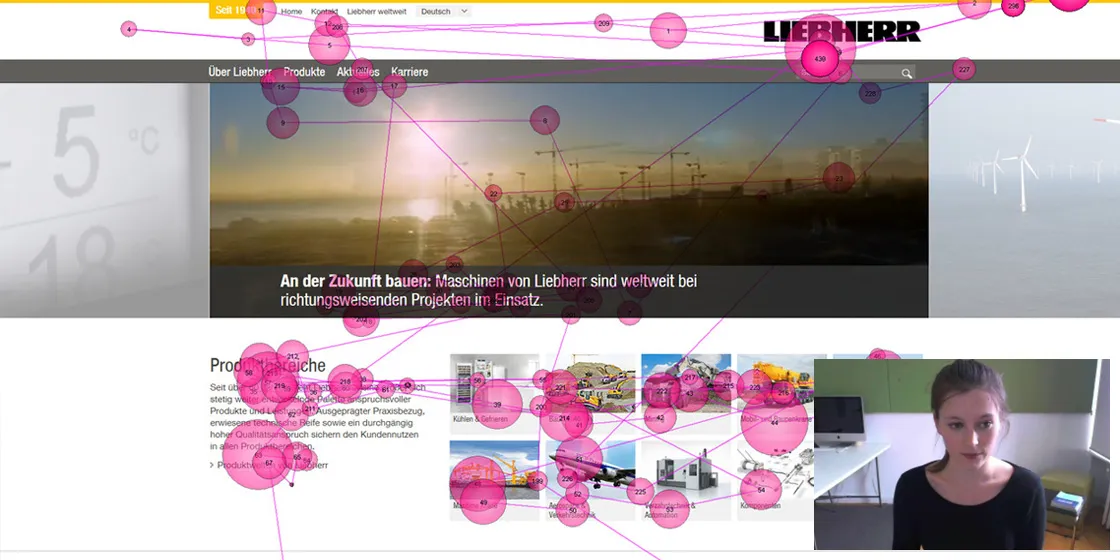
Depending on budget and task, different methods are used. For example, eye tracking captures eye movements using software, while in-depth interviews gather and document users' motives and perceptions.
Click dummy or prototype?
The basis for a usability test is an interactive click dummy or prototype of a launched or newly developed website.
The simplest variant is wireframes or screens of the new design as a paper prototype. Prototypes can also be created entirely digitally – with interactive buttons and links. A fixed click path can be specified, or all interaction options can be made available.
The more differentiated the design and the more varied the click options, the closer to reality the result. The simpler and more schematic the design, the lower the costs for the prototype.

The process – what happens before, during and after the test?
Preparation
Usability experts first examine the environment of the online offering in question and clarify key questions.
A benchmark analysis provides insight into the state of the art in the industry and/or medium.
Use cases help make the conceptual requirements more concrete with regard to user expectations.
A prototype is developed in coordination with client.
Suitable methods are chosen and test procedure planned.
Participants are selected and recruited based on user profile.
Test script including questionnaire will be created.
Follow-up
Important is to learn from test findings and continuously optimise problem areas.
The usability report shows the analysis and evaluation of the test results.
Concrete recommendations for action are given.
Findings and next steps get documented.
If needed, we produce a highlight video summarising key moments from the tests. Highlight videos are ideal for sharing test findings vividly with others.
Who tests usability? The makers
Usability experts first examine the direct environment of the online offering in question and clarify key questions such as: what is state of the art in the industry and medium, and what do the relevant user groups expect?
With the help of use cases, application scenarios from the user's perspective, conceptual requirements are made concrete with regard to user expectations.
Concept and design are reviewed and refined multiple times throughout the project. Ideally, a usability test with user involvement takes place at an early stage.
To conduct a usability test, a prototype is created. Depending on time and cost budget, interactive tools uses programmes or resources.
Questions and the optimal structure of the prototype are developed together with the customer.
Usability tests are carried out in-house at interactive tools and integrated iteratively into the creative process.
interactive tools has the necessary infrastructure to carry out a professional usability test.
Selection of suitable methods and planning of the test procedure. Recruitment of participants per defined user profile.
Test execution: individual sessions in the usability lab, observation from the observation room.
Analysis & evaluation, its documentation and concrete recommendations for action.
Formative tests
This type of test is used when interim results need to be evaluated and improved during an ongoing process. Formative tests can be carried out even with the simplest prototypes. Small samples with just a few participants are often enough to gain important insights and answers. Typical questions a formative test can answer include:
How do users interact with the current product?
Is the navigation understandable?
Summative tests
Summative tests serve final review. They are used at the end of a project/project phase. Usually a larger number of participants – at least eight – is required.
Typical questions a summative test can answer include:
Does our website work the way it should?
What feelings do participants have when using the product/service?
Test types: when is what tested?
User-based methods
Usability test using a representative group of test participants
Card sorting
Usability testing in the lab
In-depth interview
Eye tracking
Questionnaires
Concurrent Think Aloud
Constructive Interaction
Example 1: qualitative usability test with eye tracking and contextual interviews
"Does our concept work, and will the design be accepted by our users?"
In the usability test, it is examined whether and to what extent a digital product adequately supports or hinders its users. Relevant representatives of the target groups examine the website. The test subjects are selected according to specific criteria.
Typically, the tests take place in the usability lab. There, participants are given everyday tasks to solve on the website. The complete user experience is seamlessly recorded by usability software to identify strengths and weaknesses. In addition, a moderator asks follow-up questions in the context of the task: What was positive or negative? How is the interface rated? Does it meet expectations?
In the separate observation room, clients and project participants can follow the tests live: they see the participant's screen (screen recording), the participants themselves (as picture-in-picture), hear their comments (think-aloud), and follow their eye and mouse movements. Six to eight participants are usually enough to identify a website's optimisation potential. The most important results are available in writing just one day after testing ends.
Example 2: Card sorting
The right information structure
The aim is to develop an information structure that matches user expectations. Ideally, meaningful terms should be found in the process. The method is scalable depending on time and cost budget as well as requirements. It ranges from simply sorting given terms into fixed categories (closed card sorting) to jointly collecting, clustering and assigning terms including naming them (open card sorting).
Card sorting already delivers quick results with a small group: at least 15 representative test participants are recommended. The mapping can take place in several stages.
Topics such as naming can be analysed in more detail within a workshop. Card sorting can be carried out with simple cards or using software.

Mr Müller, was there something today that you learned and will take back to Munich with you? - Yes, that we will never do a project again without UX testing!
Conclusion – questions pay off
After the relaunch is before the relaunch – usability tests as part of quality assurance offer benefits for new developments and monitoring. Improved usability is also an effective customer retention measure.
Various indicators help identify usability problems: results from log file analyses, declining visitor numbers, drop-off rates, suspicious exit pages — but also online surveys and user feedback — provide information about problem areas on a website. Within the scope of a usability study, solutions can be found for these. More and more companies are taking usability testing seriously and building up their own in-house expertise. In these companies, UX tests are already part of quality assurance.
Also, investment in usability testing is rising: where previously rarely more than one per cent of the project budget went on user testing, ten per cent counts as optimal today. The ROI of continuous testing is hard to quantify. But a website with flawless usability is always a worthwhile investment.
USABILITY TESTING WHITEPAPER DOWNLOAD
Your contact person
- Marcus Völkel
Consultingsynaigy
Show phone numberShow email address

Your contact person
- Marian Gertheim
Consultingsynaigy
Show phone numberShow email address

Subscribe to the blog now and never miss any news
✔️free of charge ✔️weekly news ✔️expert knowledge
Please accept the corresponding cookies to view this embedded content.